Tasks support actions generated by the CyberComply platform (e.g. reviewing a document or implementing a control). You can generate tasks (which emails the task owner) and track their progress. The tasks page can be accessed from the main menu by clicking Tasks.
Note: You can assign a task to anyone who is in your organisation’s list of users. If you want to assign a task to someone who doesn’t otherwise use CyberComply, you can add them as a read-only user. They won’t be able to change anything inside CyberComply, but they will still receive emails when assigned tasks.
Task status (Planned, In progress, Completed and Overdue) can be set at the bottom right of the entry and is also visible as a coloured dot at the right of the list entry. Overdue tasks show the due date in red.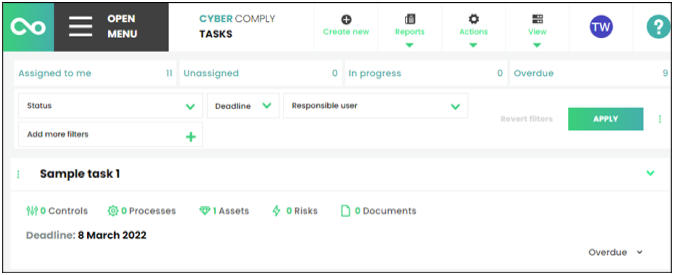

Welcome to the CyberComply help centre!
Tasks
Did this answer you question?